
Navigation bars are generally the opening of a website and also carries the links of that website. So, once we make them differently shaped, colorful with some eccentric sense then they really attract the clients and the end users. This tutorial is about one such navigation bar.
Step 1
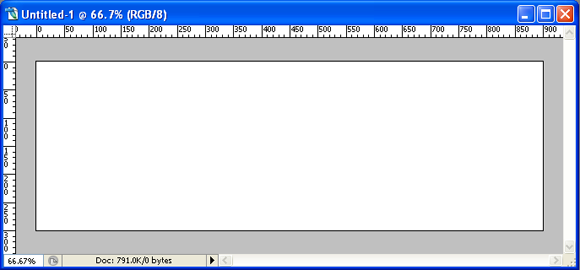
Open a document of size 900 px X 300 px with 72 ppi.
Step 2
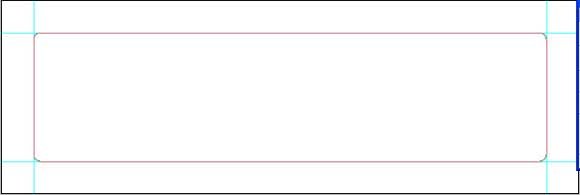
Now drag vertical guides to 50 px and 850 px. Drag another two more horizontal guides at 50 px and 250 px. Draw a rounded rectangle between these guides.
Step 3
Now press ctrl+enter and change it into a selection and fill it with “0090bf”.

Step 4
Now press ctrl+t right-click and choose wrap option in that.

Step 5
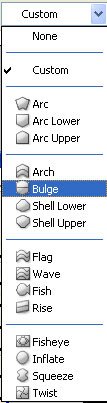
Choose bulge option from that and type -10 in the nearby bend option box.

Then you must get this kind of output.

Step 6
Now move it up such that only the bottom half of it is visible or present inside the canvas like this.

Step 7
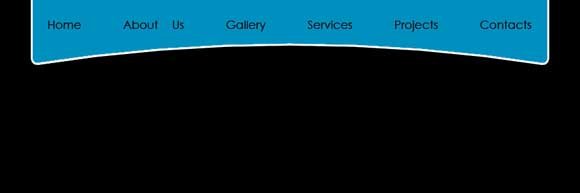
Now give it a white stroke of size 3 px and center option using the stroke effect available in layer styles. This is how your output will be.

Step 8
Now type the links inside the navigation bar like this.
Corollary
You can add more effects to this using your creativity to produce better results.

One more result.






Wow. It looks great
Thank you ricky. Thanks for your comments.
I think it’s pretty basic…very nice however.
Yeah sure, as you told sticking on to the basics with a little bit of creativity will surely create awesome things.
Yes, but many people are looking for basic stuff. Remember, keep it simple! (http://en.wikipedia.org/wiki/KISS_principle)
Nice tutorial, but why don’t you explain how to get that last result – “One more result”?
I have already explained how to create such shadows in a previous post “Article: Shadows and Highlights in Photoshop”
I like your tutorial, but its true that is really begginers kind. I’m sure you can do better and more complete.
BTW I think 1px stroke would be better.
Keep working you’re on the good way
Yeah, this is a tutorial for the beginners, but the output is not for the beginners. Only people who are in web designing atleast for 5 years can do it.
I have to try this. I’ve just been using the traditional rectangular navigation bars. This is a cool way to make one. Thanks for the post!
Thank you David, I am sure that you will be able to produce better results using this. Keep logged in with animhut for more stuffs like this. Also look into older posts.
thx.I get it.
Thx
Wow! so cool navigation bar — Its fine — If there is a glossy effect it will be superb –Although it is fine and cool –loving it really . thanks for the post
The glossy effect will get highlighted only with the complete template. Here it may get camouflaged.